
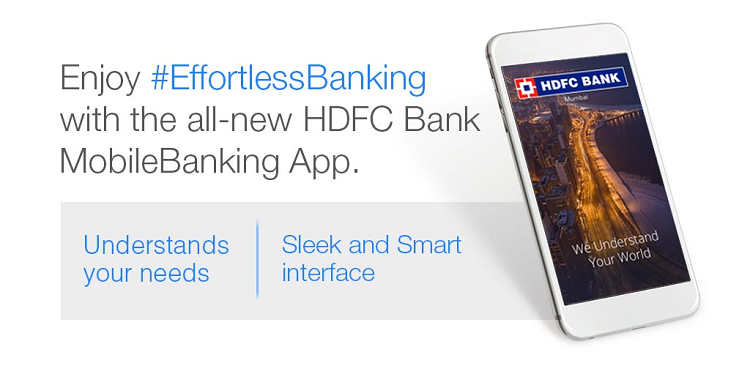
HDFC Bank MobileBanking App (New)
The New HDFC Bank MobileBanking App combines intuition with seamless navigation for effortless mobile banking experience. Life can be stressful, but banking doesn’t have to be! That’s why we have made it really simple for you do a range of transactions and bank with us anytime, quickly and on the go!
With the App, you can easily manage your accounts, pay bills, transfer funds, recharge your mobile, get exciting offers and much more.
Features:
Sign in with your HDFC Bank Customer ID and PIN (password) and enjoy our secure MobileBanking.
Manage your money
- Check account balances
- View your credit card transactions
- View a summary of your accounts
- Instantly open a fixed or recurring deposit
Transfer funds & make payments
- Transfer funds
- Pay your utility and credit card billsRecharge your mobile, data card and DTH
Experience the convenience of mobile banking :
- Update your Aadhaar number
- Contact a relationship manager (for Classic, Preferred& Imperia Program)
- Check your TDS Status
- Request cheque book or stop a cheque
- Manage alerts, billers and standing instructions for automatic payments. And much, more.
 |
HDFC Bank Mobile Banking App FAQs |
1. How to Login to the application
You need your Customer Id (unique identification code provided to you by the Bank) and IPIN (NetBanking password) to login to the application.
2. Can I login through Quick Access PIN?
No. Currently, you can only login through Cust ID & IPIN in the new HDFC Bank Mobile Banking App.
3. Is OTP Auto-read facility available in the new HDFC Bank Mobile Banking App?
Yes, the OTP Auto-read facility is available in the new HDFC Bank Mobile Banking App but it is available for Android devices only.
4. How do I know that no unauthorized payments are made using HDFC Bank MobileBanking?
With the new HDFC Bank MobileBanking App, you initiate and authorize each and every payment that is made from your account. Remember to log out of the application after you have finished using it and don’t share your Customer ID and IPIN with anyone. The new HDFC Bank Mobile Banking App is a highly secure mobile banking app, as it works on risk based profiling for each transaction. Therefore, securing customers from any fraudulent transaction.
5. I am able to access other sites on my mobile browser but unable to download HDFC Bank MobileBanking?
The new HDFC Bank Mobile Banking App is compatible only on –
- Android devices – Android 4.4 & above
- Apple devices – iOS 8 & above
6. What if I change my mobile number?
You can still access your account using HDFC Bank MobileBanking on your phone. However, in case, of a new handset you need to re-download the HDFC Bank Mobile Banking application
7. I have got an alert that my account has been locked after inputting the wrong IPIN 5 times. What do I do?
You will have to go to the HDFC Bank NetBanking website and follow the procedure mentionedto unlock your NetBanking account password.
8. Which version of iOS& Android is compatible with HDFC MobileBanking application?
Apple iPhones having iOS 8& above and Android phones having version 4.4 & above arecompatible with the application.
9. What are the Data charges for accessing this service?
Individual mobile operators rates vary as per plan and services offered. Please contact your mobile operator for the charges.
10. How many users can use this application on a particular mobile phone?
Any number of users can use this application on the same handset. All that is required is the user's Cust ID and IPIN
11. What if I get an SMS or a call while on HDFC Bank MobileBanking App?
You can still answer the call or read the SMS while HDFC Bank MobileBanking continues to run in the background. However current session will expire after 5 minutes of inactive use ofMobileBanking Application.
12. How do I terminate this service?
To terminate this service, you need to first deregister from NetBanking and then delete the application from the mobile phone.
13. Can I access MobileBanking if I have not registered for NetBanking?
No, you need to first register for NetBanking so as to access the Mobile Banking application through IPIN
14. Can I access HDFC Bank MobileBanking when I am on national roaming?
Yes, as long as you have GPRS activated on your mobile number, subject to availability of the network, you can access HDFC Bank Mobile Banking anywhere in the country. Please keep in mind that you might be charged special roaming rates for using GPRS.
15. What are the basic phone requirements for downloading and installing the application?
- Android devices – Android 4.4 & above
- Apple devices – iOS 8 & above
- Mobile data connection should be enabled in your handset.
16. When will the transaction request placed on HDFC Bank Mobile Banking get executed?
Any transaction request placed on your HDFC Bank Mobile Banking will take the identical amount of time as it would on HDFC Bank Net Banking.
17. Which customers can use HDFC Bank Mobile Banking Application?
Currently all customers having an active HDFC Bank Net Banking login and IPIN can use this application.
18. Do I need to register with a specific service provider to avail the GPRS service?
This facility is available across all service providers.
19. How do I get GPRS service?
You can get GPRS by calling your mobile operator and subscribing to a GPRS connection. Each operator has different ways of activating GPRS and time frames for connectivity. Kindly contact your mobile operator for details.
20. Can I use my HDFC Bank application overseas?
Yes, it can be used in any country as long as you have an active Mobile Data connection.
21. If I don’t use the service for a period of time, will my account be deactivated by the Bank?
If you don't use this service for 999 days, your account will be deactivated after 999 days.
22. What if I get disconnected or my mobile phone switches off while on the Application?
No problem, you are automatically logged out after 5 minutes in case of no activity done on the new HDFC Bank Mobile Banking MB and after your handheld is switched on, you can log in and start transacting once again.
23. What do I do if I lose my mobile phone?
Even if you lose your phone your account will be safe, as to use this application you need a password.
24. What are the charges for downloading and using the HDFC Bank MobileBanking app?
HDFC Bank offers HDFC Bank MobileBanking Application FREE of charge to its customers. You can download and use this application as and when needed without any charges by the bank. Your mobile operator will levy charges for the Mobile Data service. Please check with your operator for details.
25. Is a Data (Mobile/Wi-Fi) connection mandatory?
Yes, without it you won't be able to download/access the application.
26. Is this service available 24x7?
Yes, the service is available round the clock.
27. How do you register for NetBanking?
Please click here to register for NetBanking
28. What is Customer ID?
It is the unique identification code provided to you by the bank.
29. How can I pay my bill through the Mobile Application?
After you have logged in, go the menu & click on Pay section. It will expand and you can click on Bill Payment & Recharge and then you can Add Billers & Pay your bills.
30. I don't use NetBanking. Will I still be able to download the app and use it?
Yes, you will be able to download the app but to use the application you need to register for NetBanking in order to get an IPIN which will act as your password for the application.
31. I am still unable to download HDFC Bank MobileBanking?
This may be due to congestion in your service provider's GPRS network. Please try again after some time.
32. Are there any charges and transaction limits to the transactions I can perform on HDFC Bank MobileBanking?
The maximum amount of funds that can be transferred per Cust id per day is Rs 10 lacs. Limit of Rs 10 lacs applies whether as an individual or multiple transactions. NEFT transaction on MobileBanking application is charged according to the conditions below:
- Up to Rs. 10,000 – Rs. 2.5(excluding taxes) per transaction
- Above Rs. 10,000 to Rs. 1 Lakh – Rs. 5 (excluding taxes) per transaction
- Above Rs. 1 Lakh to Rs. 2 Lakhs – Rs. 15 (excluding taxes) per transaction
- Above Rs. 2 Lakhs – Rs. 25 (excluding taxes) per transaction
- Up to Rs. 1,000 – No charges
- Above Rs. 1,000 to Rs. 1 Lakh – Rs. 5 (excluding taxes) per transaction
- Above Rs. 1 Lakh to Rs. 2 Lakh – Rs. 15 (excluding taxes) per transaction
33. I was able to use the HDFC Bank MobileBanking application before, but I am not able to do so now. What do I do?
This might be due to a change in your GPRS settings. Please contact your service provider.
34. What if I want to change my mobile phone device?
In case you want to use the HDFC Bank MobileBanking application, you will have to re-download the application on your new handset. Follow the set of download instructions for this and continue banking on HDFC bank MobileBanking App.
35. I was able to successfully download HDFC Bank MobileBanking but am not able to locate it on my mobile phone?
The new HDFC Bank MobileBanking App on successful download & installation will be listed in the menu of your smartphone device. In case of an Android device, a shortcut will be added to your home screen after the successful installation, from there you can directly open the HDFC Bank Mobile Banking App.
36. How much memory space is required to install the MobileBanking application?
Android devices – Approximately 13.5 MB is required while iOS devices – Approximately 28 MB is required to install the application
37. Can I make payments to new payees?
You can register new payees on your HDFC Bank MobileBanking. All you need to do is login into MobileBanking (after registration, there is a waiting time of 30 minutes) and then you can make payments via MobileBanking.